Squatch Stack squatch.cc Search Say hello

Sound

The Squatch plug-ins.

Ten effects for your DAW, as Audio Unit, VST3 and CLAP.

Get it for Mac The source

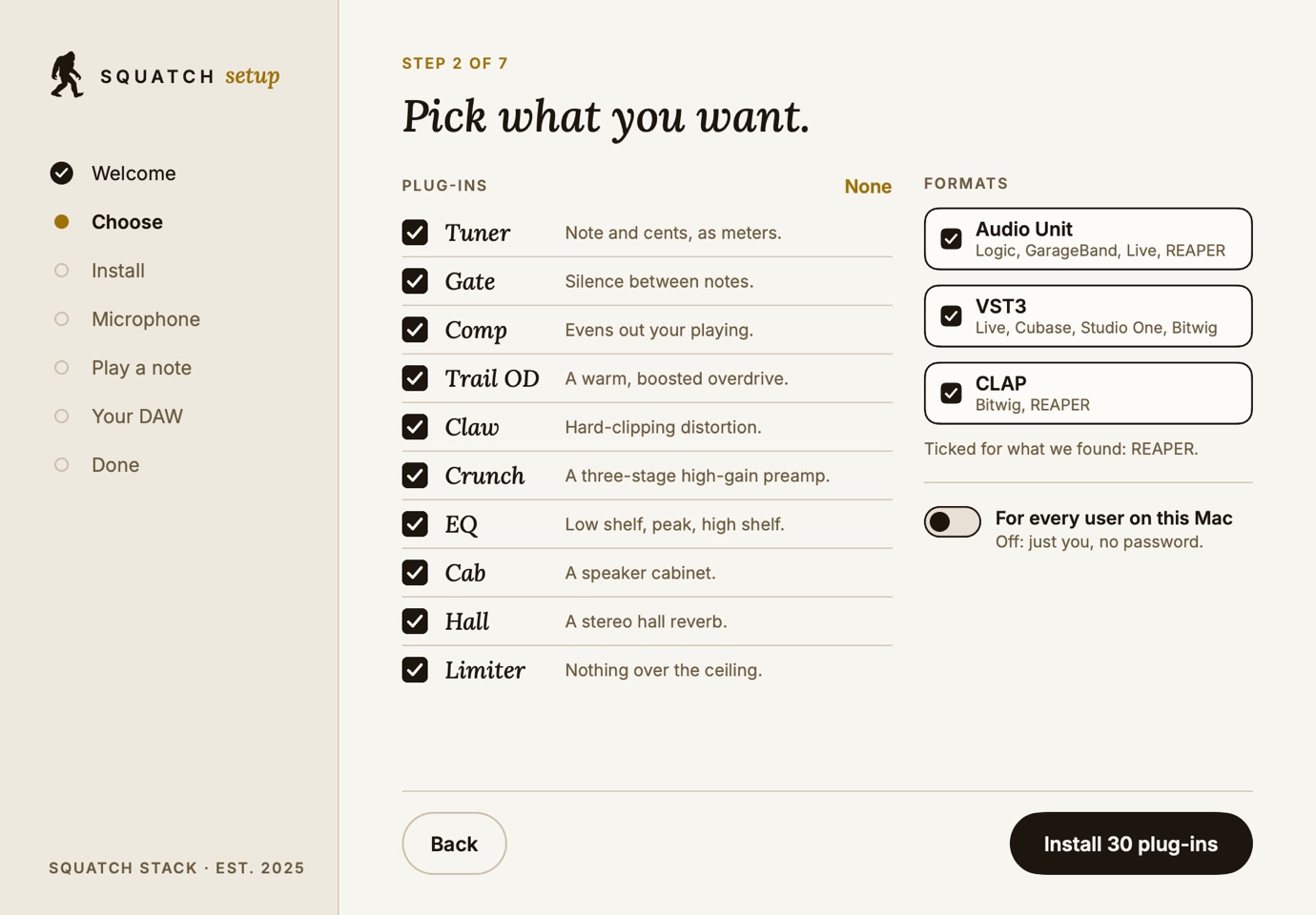
Squatch Setup's Choose screen: the ten plug-ins ticked, and Audio Unit, VST3 and CLAP chosenCapture

What it does

A tuner, a gate, a compressor, three drives, an EQ, a cabinet, a hall and a limiter, from the same engine as the browser rig.

Who it’s for

Players and producers who want our pedals in their DAW.

Why we built it

So the sound you try in the browser is the sound you record.

What we’re proud of

Every bundle is signed by us and notarized by Apple. All 10 Audio Units pass auval, the CLAP builds pass 35 checks with 0 failed, and the VST3 builds pass 537 tests with 0 failed.

The pedals

Nine pedals, the way the rig draws them.

Nine of the ten have a face of their own, drawn for our browser rig. In your DAW each plug-in shows the same controls, by the same names, in your host’s own panel.

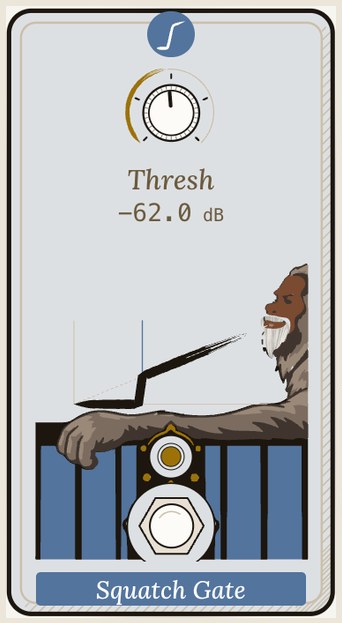
Squatch Gate as the rig draws it: a threshold knob, and a sasquatch leaning on a blue fence
Squatch Gate: Silence between notes.
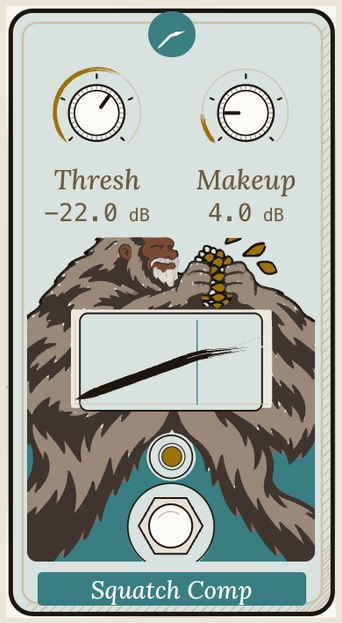
Squatch Comp as the rig draws it: threshold and makeup knobs, and a sasquatch squeezing a cob of corn
Squatch Comp: Evens out your playing.
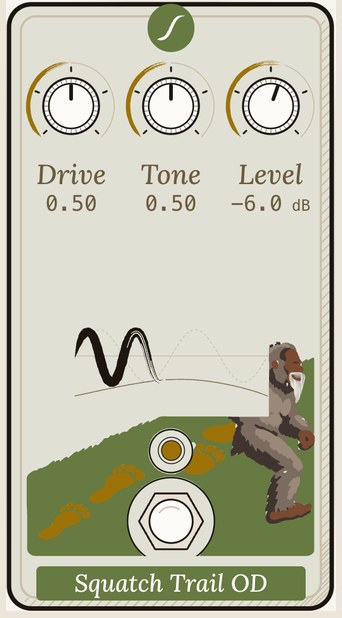
Squatch Trail OD as the rig draws it: drive, tone and level knobs, and a sasquatch striding up a green hill
Squatch Trail OD: A warm, boosted overdrive.
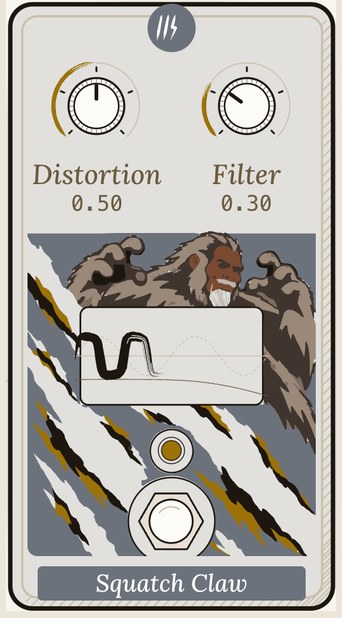
Squatch Claw as the rig draws it: distortion and filter knobs, and a sasquatch clawing through grey rock
Squatch Claw: Hard-clipping distortion.
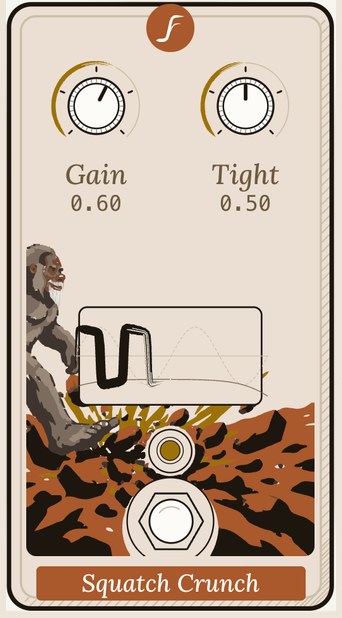
Squatch Crunch as the rig draws it: gain and tight knobs, and a sasquatch stamping through orange leaves
Squatch Crunch: A three-stage high-gain preamp.
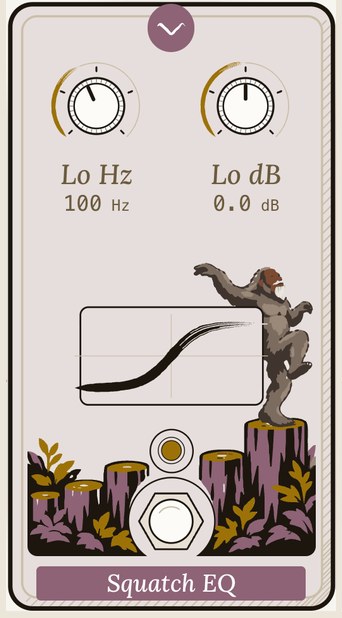
Squatch EQ as the rig draws it: low frequency and gain knobs, and a sasquatch dancing on a tree stump
Squatch EQ: Low shelf, peak, high shelf.
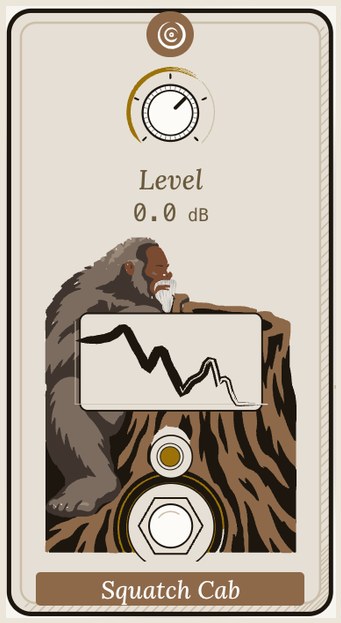
Squatch Cab as the rig draws it: a level knob, and a sasquatch resting on a cut log
Squatch Cab: A speaker cabinet.
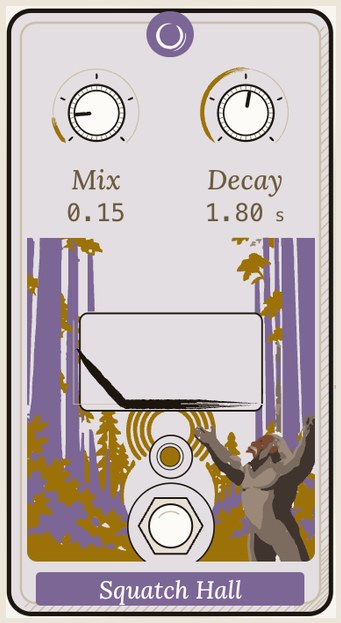
Squatch Hall as the rig draws it: mix and decay knobs, and a sasquatch calling out in a purple forest
Squatch Hall: A stereo hall reverb.
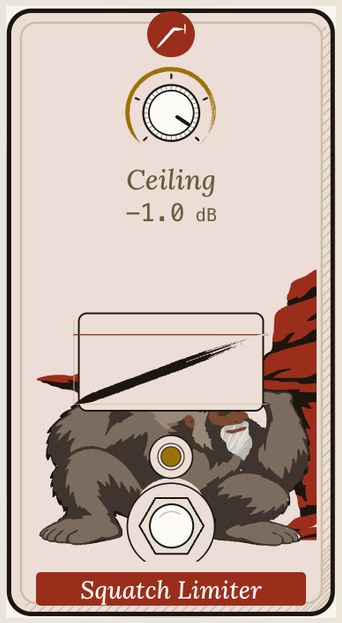
Squatch Limiter as the rig draws it: a ceiling knob, and a sasquatch crouched under a red cliff
Squatch Limiter: Nothing over the ceiling.

How it works

One engine, three formats, checked twice.

  1. Each pedal is one block of our open DSP engine, the same code the browser rig and the pedal hardware run.
  2. One adapter wraps every block as CLAP, and the same build makes the VST3 and Audio Unit versions.
  3. Our release workflow builds them from the tagged source, signs every bundle with our Developer ID, and Apple notarizes them.
  4. Before a release ships, each format goes through its own validator: auval, the CLAP validator and Steinberg's VST3 validator.

Measured

Measured from the released code.

Each plug-in is one block of the engine behind a thin adapter, so measuring the block measures the plug-in. These are the v0.2.2 blocks at their default settings.

Level in, level outA 1 kHz tone, from quiet to full scale. Dashed: what goes in comes out.
Level in, level out-48-36-24-120-48-36-24-120Level in (dBFS)Level out (dBFS)Trail ODClawCrunchCompLimiter
The numbers behind this chart
dBFS inTrail ODClawCrunchCompLimiter
-48-27.5-40.5-20.6-42-48
-46-25.6-38.5-18.8-40-46
-44-23.6-36.5-17.1-38-44
-42-21.7-34.5-15.6-36-42
-40-19.9-32.5-14.3-34-40
-38-18.1-30.5-13.1-32-38
-36-16.4-28.5-12.2-30-36
-34-14.8-26.5-11.5-28-34
-32-13.5-24.6-11-26-32
-30-12.3-23-10.6-24-30
-28-11.5-21.7-10.3-22-28
-26-10.8-20.9-10.1-20-26
-24-10.3-20.2-9.9-18.4-24
-22-9.9-19.7-9.8-17.3-22
-20-9.5-19.3-9.8-16.6-20
-18-9.2-19-9.7-16-18
-16-8.8-18.7-9.7-15.4-16
-14-8.4-18.5-9.7-14.9-14
-12-7.9-18.3-9.6-14.4-12
-10-7.3-18.2-9.6-13.8-10
-8-6.6-18.1-9.6-13.3-8
-6-5.8-18.1-9.6-12.8-6
-4-4.9-18-9.6-12.3-4
-2-3.9-18-9.6-11.8-2
0-2.7-18-9.6-11.3-1.1
Tone, played softlyThe gain of each drive across a guitar’s range, for a quiet -30 dBFS tone.
Tone, played softly-12-606121824501002005001k2k5k10kFrequency (Hz)Gain (dB)Trail ODClawCrunch
The numbers behind this chart
HzTrail ODClawCrunch
40-0.87.214
44.9-07.414.9
50.40.87.515.8
56.61.67.616.4
63.52.57.717
71.33.37.717.4
804.27.817.8
89.85.17.818.2
100.867.818.4
113.16.97.818.6
1277.87.918.8
142.58.77.918.9
1609.67.919.1
179.610.57.919.1
201.611.37.919.2
226.312.17.919.3
25412.97.919.3
285.113.67.819.4
32014.37.819.4
359.214.97.819.4
403.215.57.819.4
452.5167.719.4
50816.47.719.5
570.216.87.619.5
64017.17.519.5
718.417.47.519.5
806.317.57.319.4
905.117.67.219.4
1015.917.7719.4
1140.417.66.819.4
128017.66.519.4
1436.817.46.219.3
1612.717.25.919.3
1810.216.95.519.2
2031.916.5519.2
2280.716.14.519.1
256015.63.919
2873.515.13.318.9
3225.414.42.618.8
3620.413.71.818.6
4063.713118.4
4561.412.10.118.1
512011.2-0.817.8
574710.3-1.717.4
6450.89.3-2.716.9
7240.88.2-3.716.4
8127.57-4.815.7
9122.85.7-5.914.9
102404.4-7.113.9
114942.8-8.312.8
12901.61.1-9.611.5
14481.5-0.9-1110.1

Measured from the v0.2.2 source code, with a steady sine through each block at 48 kHz, its level taken once it has settled.

Screens

Squatch Setup, the installer that comes next.

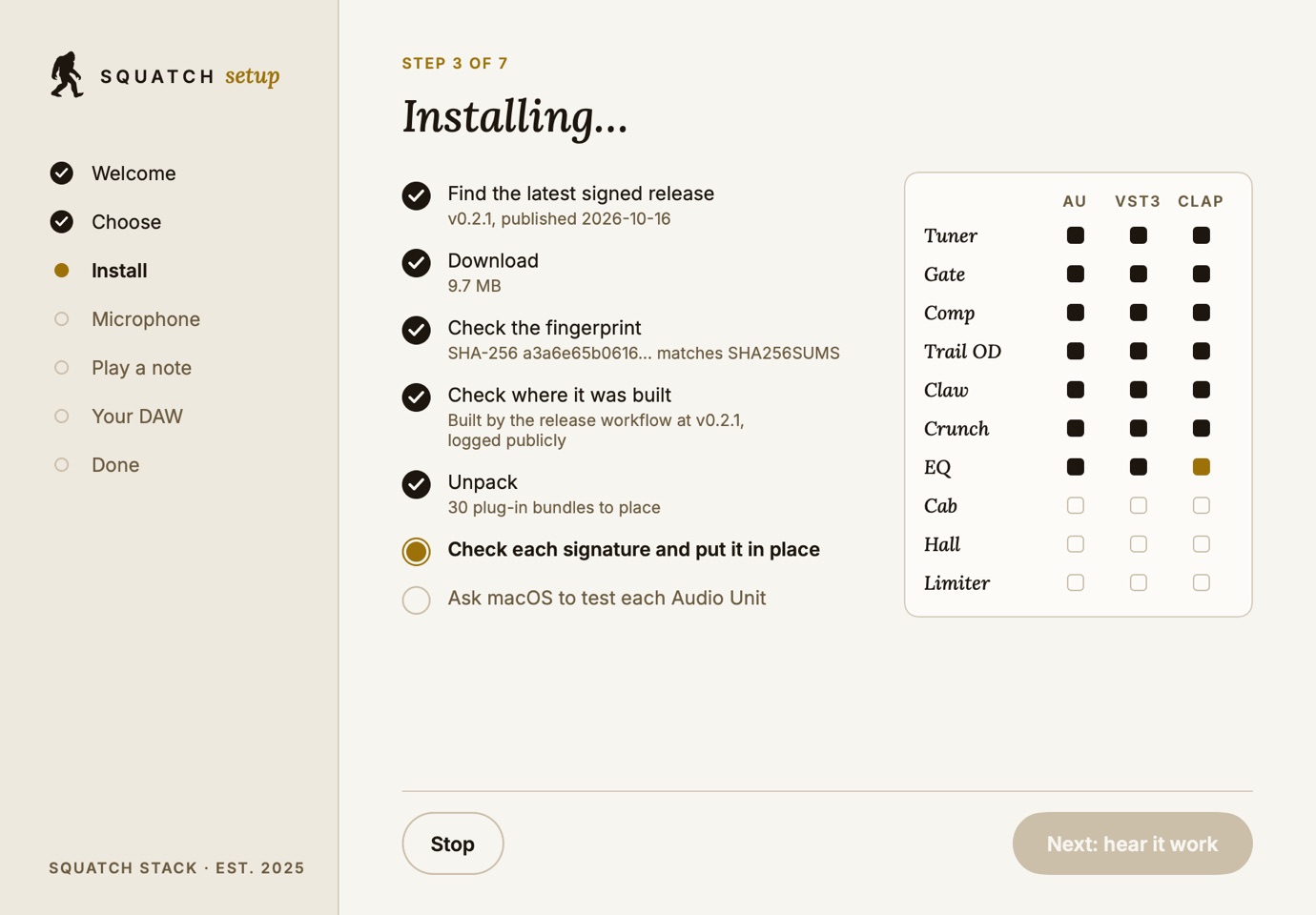
Squatch Setup installing: the release found, downloaded, its fingerprint and build record checked, and plug-ins landing one by one
Installing: the fingerprint and the build record are checked before anything is copied.
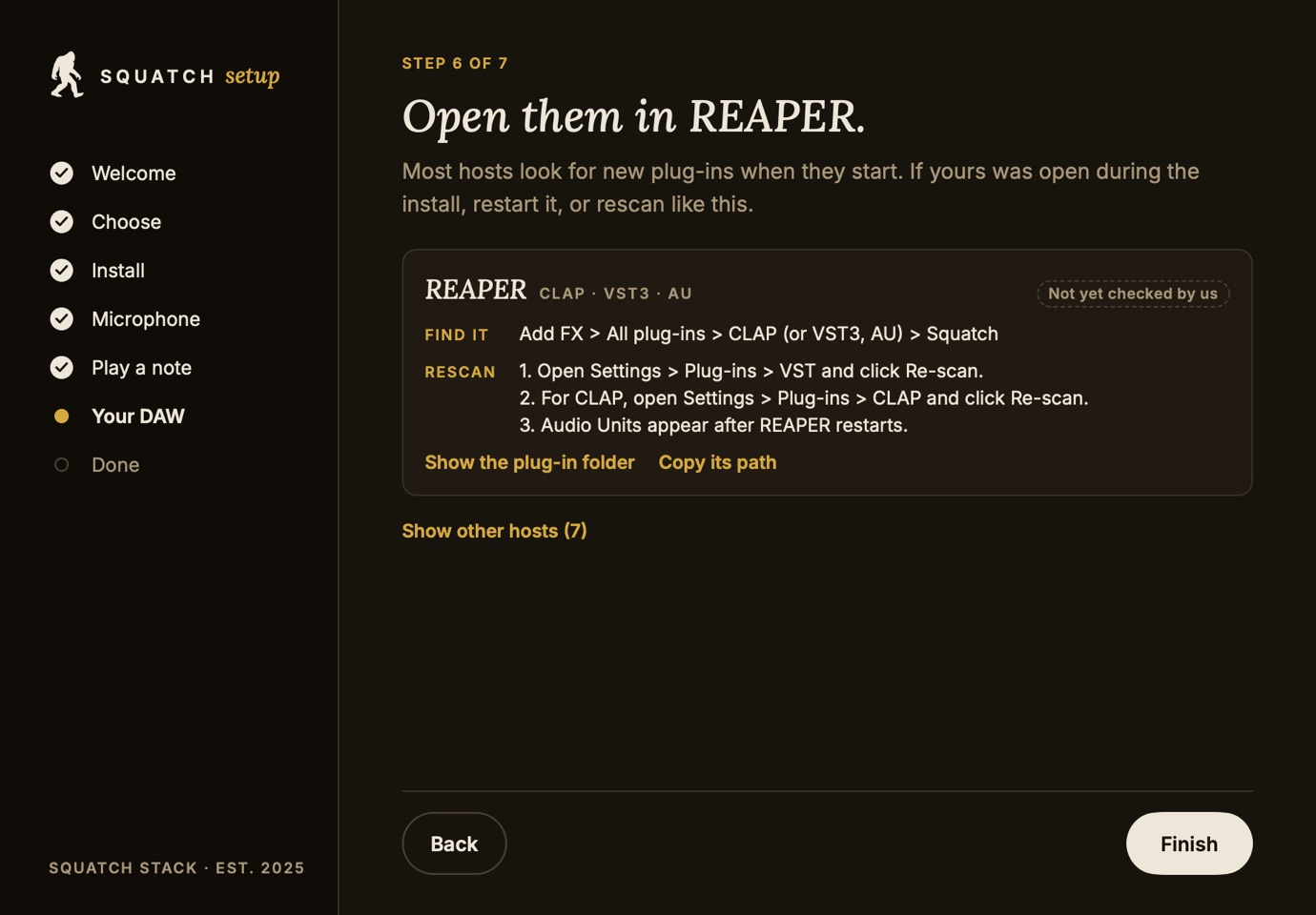
Squatch Setup's DAW card for REAPER in the dark theme, with where to find the plug-ins and how to rescan
Then a card for each DAW it finds on your Mac, saying how sure we are of each step.
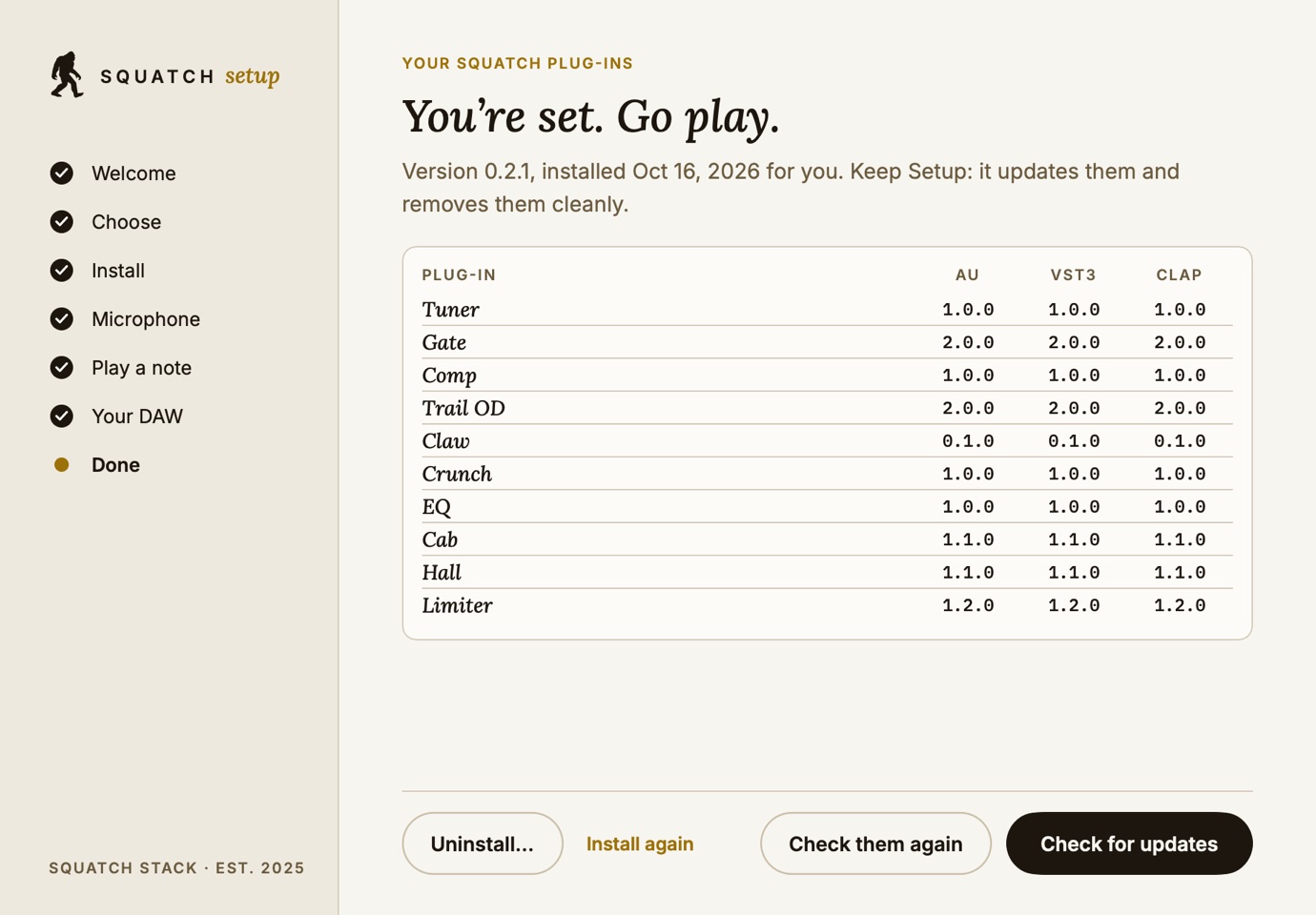
Squatch Setup's hub listing each plug-in with its version in each format, with Uninstall and Check for updates
The hub: what is installed, at which version, and a clean uninstall.

Get it

The latest signed release.

Get Squatch Setup (.dmg)

Squatch-Setup-1.0.0.dmg · 3.4 MB · v0.2.2 Signed and notarized by Apple

The easy way: it puts the plug-ins in your own folder with no password, checks every signature, then listens while you play a note.

SHA-256 f8fd9a85bbed70ed306f43268514c26929136e60305a36a361d60eb59e8fcd69

Download the installer (.pkg)

squatch-dsp-plugins-v0.2.2-macos.pkg · 9.7 MB · v0.2.2 Signed and notarized by Apple

All ten, in all three formats, for every user of this Mac. Apple's Installer asks for an administrator password.

SHA-256 aef521fe5e91692cb194cbccfe7d993b077c5d132ec7cecc415bed7b6cdf346e

Just the bundles (.zip)

squatch-dsp-plugins-v0.2.2-macos.zip · 9.7 MB · v0.2.2 Signed and notarized by Apple

The same signed bundles, to copy into your own plug-in folders by hand: no password needed.

SHA-256 13a671ae7ccf872790e90bf3501c6998922c88a9b03233072c8cfb55fac9cb52
Read the code: github.com/Squatch-Stack/squatch-dsp

Every release, with its notes: squatch-dsp releases

Check your download

Trust it because you checked.

Three lines in Terminal. Each one checks something different, and none of them needs to trust this page.

  1. Its fingerprint matches
    shasum -a 256 ~/Downloads/squatch-dsp-plugins-v0.2.2-macos.pkg
    It should print aef521fe5e91692c… (the whole value is above, and in SHA256SUMS on the release page).
  2. GitHub built it from our source
    gh attestation verify ~/Downloads/squatch-dsp-plugins-v0.2.2-macos.pkg -R Squatch-Stack/squatch-dsp
    Needs GitHub’s gh tool. It checks the build record our release workflow signed.
  3. Apple notarized it
    spctl -a -vv -t install ~/Downloads/squatch-dsp-plugins-v0.2.2-macos.pkg
    It should say accepted, Notarized Developer ID.

Install guides

Find them in your DAW.

Most hosts look for new plug-ins when they start. If yours was open while you installed, restart it, or rescan. Each guide says how sure we are of its steps.

Logic ProAU From the maker’s guide, not yet checked by us

Find it Audio FX > Audio Units > Squatch Stack

Rescan

  1. Open Logic Pro > Settings > Plug-in Manager.
  2. Select the Squatch Stack plug-ins and click Reset & Rescan Selection.
  3. If one still says it failed, quit Logic and open it again.

Logic loads Audio Units only.

Ableton LiveVST3 · AU Not yet checked by us

Find it Browser > Plug-ins > VST3 (or Audio Units) > Squatch Stack

Rescan

  1. Open Settings > Plug-ins.
  2. Turn on Use VST3 Plug-in System Folders and Use Audio Units.
  3. Click Rescan.
REAPERCLAP · VST3 · AU Not yet checked by us

Find it Add FX > All plug-ins > CLAP (or VST3, AU) > Squatch

Rescan

  1. Open Settings > Plug-ins > VST and click Re-scan.
  2. For CLAP, open Settings > Plug-ins > CLAP and click Re-scan.
  3. Audio Units appear after REAPER restarts.
Bitwig StudioCLAP · VST3 Not yet checked by us

Find it Browser > Devices > Squatch Stack

Rescan

  1. Open Settings > Locations.
  2. Under Plug-ins, check your user folder is listed, then click Rescan.
GarageBandAU Not yet checked by us

Find it Smart Controls > Plug-ins > Audio Units > Squatch Stack

Rescan

  1. Quit GarageBand if it is open.
  2. Open it again: it checks new Audio Units when it starts.

GarageBand loads Audio Units only.

Studio OneVST3 · AU Not yet checked by us

Find it Browser > Effects > Squatch Stack

Rescan

  1. Open Studio One > Settings > Locations > VST Plug-ins.
  2. Click Reset Blocklist, then restart Studio One.
CubaseVST3 Not yet checked by us

Find it Insert effects > Squatch Stack

Rescan

  1. Open Studio > VST Plug-in Manager.
  2. Click the Rescan button at the bottom.

Cubase loads VST3 only.

FL StudioVST3 · AU · CLAP Not yet checked by us

Find it Plugin database > Effects > Squatch

Rescan

  1. Open Options > Manage plugins.
  2. Click Find installed plugins.

If something is off

Fixes for the usual snags.

A plug-in doesn't show up

Restart the host, then use its rescan step above. For Logic and GarageBand, run this in Terminal; it should end with AU VALIDATION SUCCEEDED: auval -v aufx SqTn SqSt (that one is the Tuner).

Logic says a plug-in failed validation

Open Plug-in Manager, select it and click Reset & Rescan Selection. If it still fails, restart your Mac and try again, then write to us with what auval prints.

Uninstall: every file, exactly

Each plug-in is one bundle in your plug-in folders (or the same paths under /Library, if you used the installer). Move these to the Trash, then restart your host:

~/Library/Audio/Plug-Ins/Components/Squatch Tuner.component
~/Library/Audio/Plug-Ins/Components/Squatch Gate.component
~/Library/Audio/Plug-Ins/Components/Squatch Comp.component
~/Library/Audio/Plug-Ins/Components/Squatch Trail OD.component
~/Library/Audio/Plug-Ins/Components/Squatch Claw.component
~/Library/Audio/Plug-Ins/Components/Squatch Crunch.component
~/Library/Audio/Plug-Ins/Components/Squatch EQ.component
~/Library/Audio/Plug-Ins/Components/Squatch Cab.component
~/Library/Audio/Plug-Ins/Components/Squatch Hall.component
~/Library/Audio/Plug-Ins/Components/Squatch Limiter.component
~/Library/Audio/Plug-Ins/VST3/Squatch Tuner.vst3
~/Library/Audio/Plug-Ins/VST3/Squatch Gate.vst3
~/Library/Audio/Plug-Ins/VST3/Squatch Comp.vst3
~/Library/Audio/Plug-Ins/VST3/Squatch Trail OD.vst3
~/Library/Audio/Plug-Ins/VST3/Squatch Claw.vst3
~/Library/Audio/Plug-Ins/VST3/Squatch Crunch.vst3
~/Library/Audio/Plug-Ins/VST3/Squatch EQ.vst3
~/Library/Audio/Plug-Ins/VST3/Squatch Cab.vst3
~/Library/Audio/Plug-Ins/VST3/Squatch Hall.vst3
~/Library/Audio/Plug-Ins/VST3/Squatch Limiter.vst3
~/Library/Audio/Plug-Ins/CLAP/Squatch Tuner.clap
~/Library/Audio/Plug-Ins/CLAP/Squatch Gate.clap
~/Library/Audio/Plug-Ins/CLAP/Squatch Comp.clap
~/Library/Audio/Plug-Ins/CLAP/Squatch Trail OD.clap
~/Library/Audio/Plug-Ins/CLAP/Squatch Claw.clap
~/Library/Audio/Plug-Ins/CLAP/Squatch Crunch.clap
~/Library/Audio/Plug-Ins/CLAP/Squatch EQ.clap
~/Library/Audio/Plug-Ins/CLAP/Squatch Cab.clap
~/Library/Audio/Plug-Ins/CLAP/Squatch Hall.clap
~/Library/Audio/Plug-Ins/CLAP/Squatch Limiter.clap

Our sound tools

Where each one runs.

One open sound engine under all four. Each is free, with its source on GitHub.

The Squatch plug-ins

Ten effects for your DAW, as Audio Unit, VST3 and CLAP.

  • MacOut nowSigned by us and notarized by Apple.
  • WindowsComingx64 and ARM64 in v0.3.0, unsigned at first. Tested offline in a Windows DAW on a Windows 11 ARM64 virtual machine; not yet tried live or on real audio hardware.
  • LinuxPartlyThe core sound library, no plug-ins yet.

Squatch Tuner

A strobe tuner that reads a string to a tenth of a cent.

  • BrowserOut nowtuner.squatch.cc, on a computer or a phone.
  • MacOut nowA command-line tuner, notarized, for Apple silicon.
  • LinuxOut nowThe command-line tuner for x86 and ARM.
  • WindowsComingThe command-line tuner, in the v0.3.0 release with the plug-ins.

The DSP engine

The sound blocks under all of these, in one small C++ library.

  • MacOut nowA static library for Apple silicon.
  • LinuxOut nowA static library for x86-64.
  • BrowserOut nowAs WebAssembly, inside the rig.

More work

Keep looking.

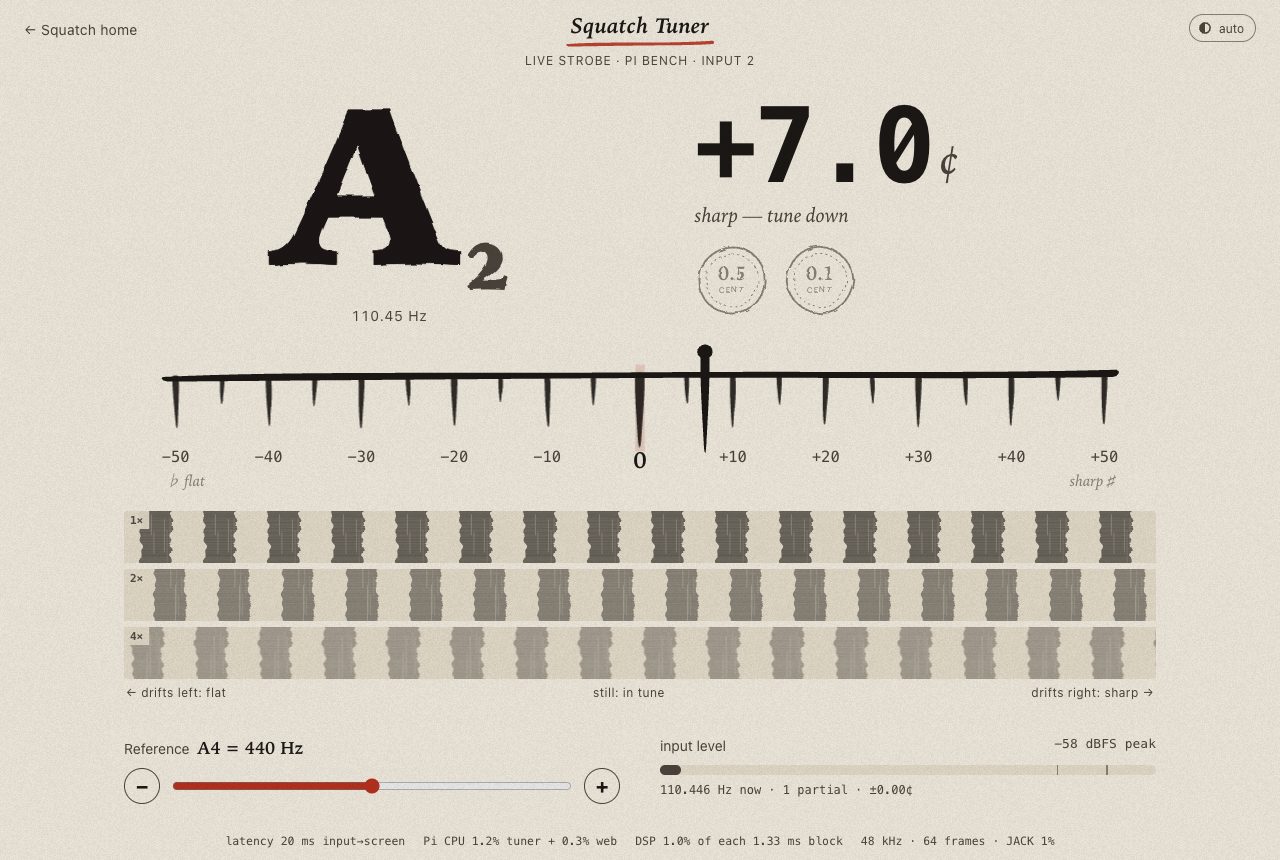
The Squatch Tuner, a strobe display reading a guitar stringLiveCaptureInteractive

The tuner locks in 44 ms.

A guitar tuner for your browser and the pedal.

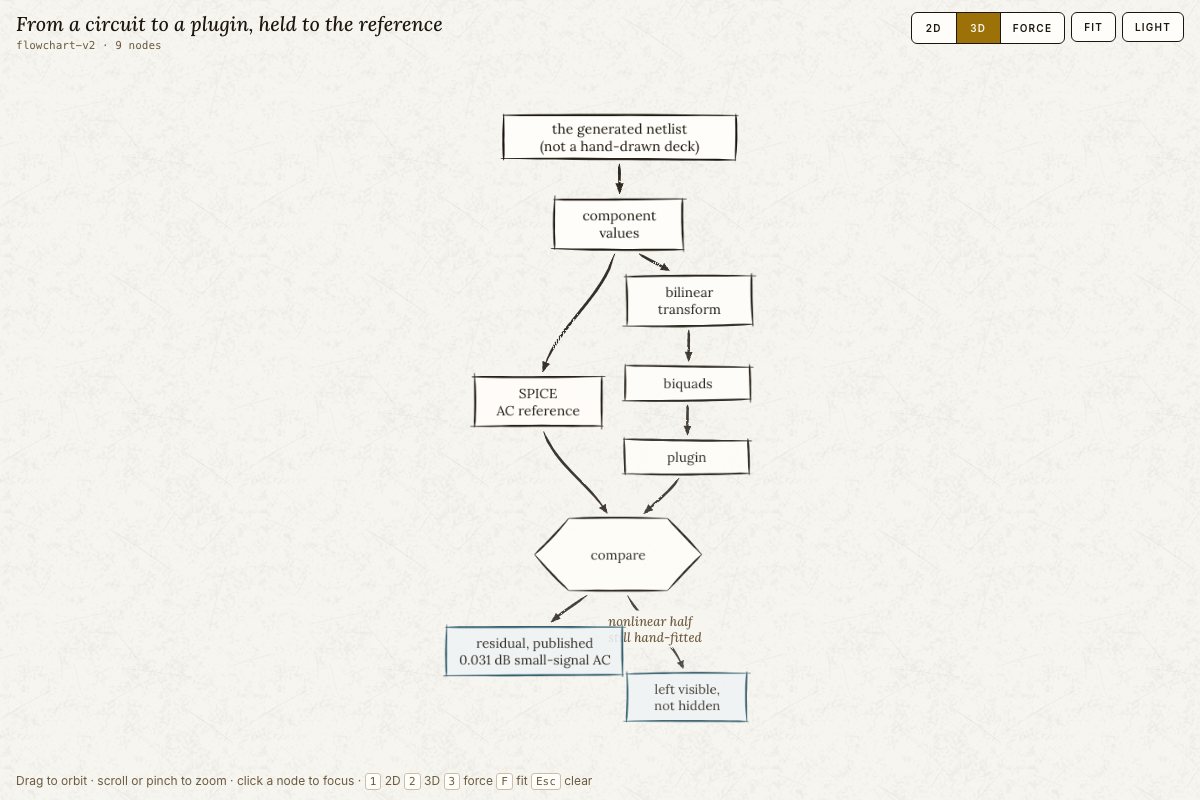
A flow diagram from a circuit netlist to a plugin, compared against a simulator referenceMeasuredCaptureInteractive

A circuit model held to its reference.

Our sound models, compared against a circuit simulator.

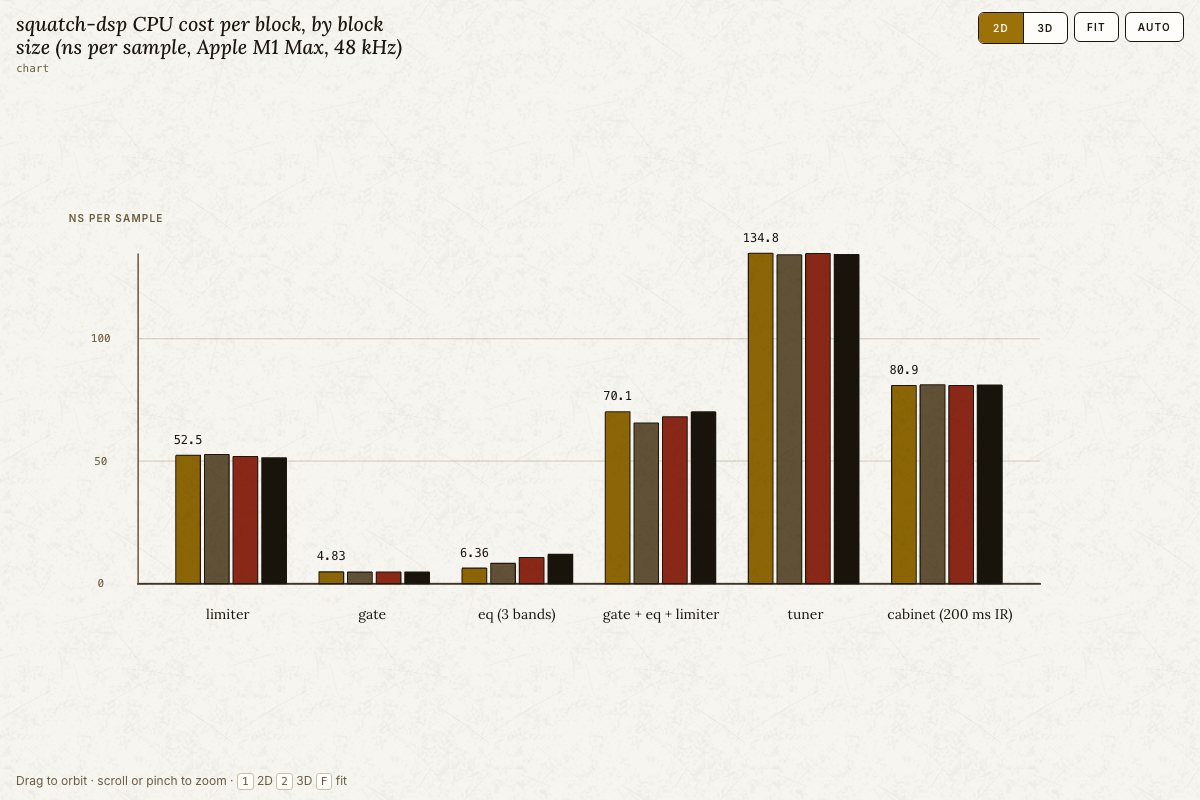
A bar chart of the processor cost per sample of each DSP blockLiveCaptureInteractive

The DSP engine.

One small library of sound blocks: gate, EQ, limiter, cabinet and tuner.

All the work

Get in touch

Want something like this? Say hello.

A person reads every message.

Email [email protected]
Text us

Text us: +1 888-344-3607. You text first; we reply only in that conversation, about your question. No marketing. Msg & data rates may apply. Reply STOP to opt out, HELP for help. SMS program

Our goods: store.squatch.ccThe studio: squatch.cc